


Video Tour: Insights
This video is currently available in French.
What you can do
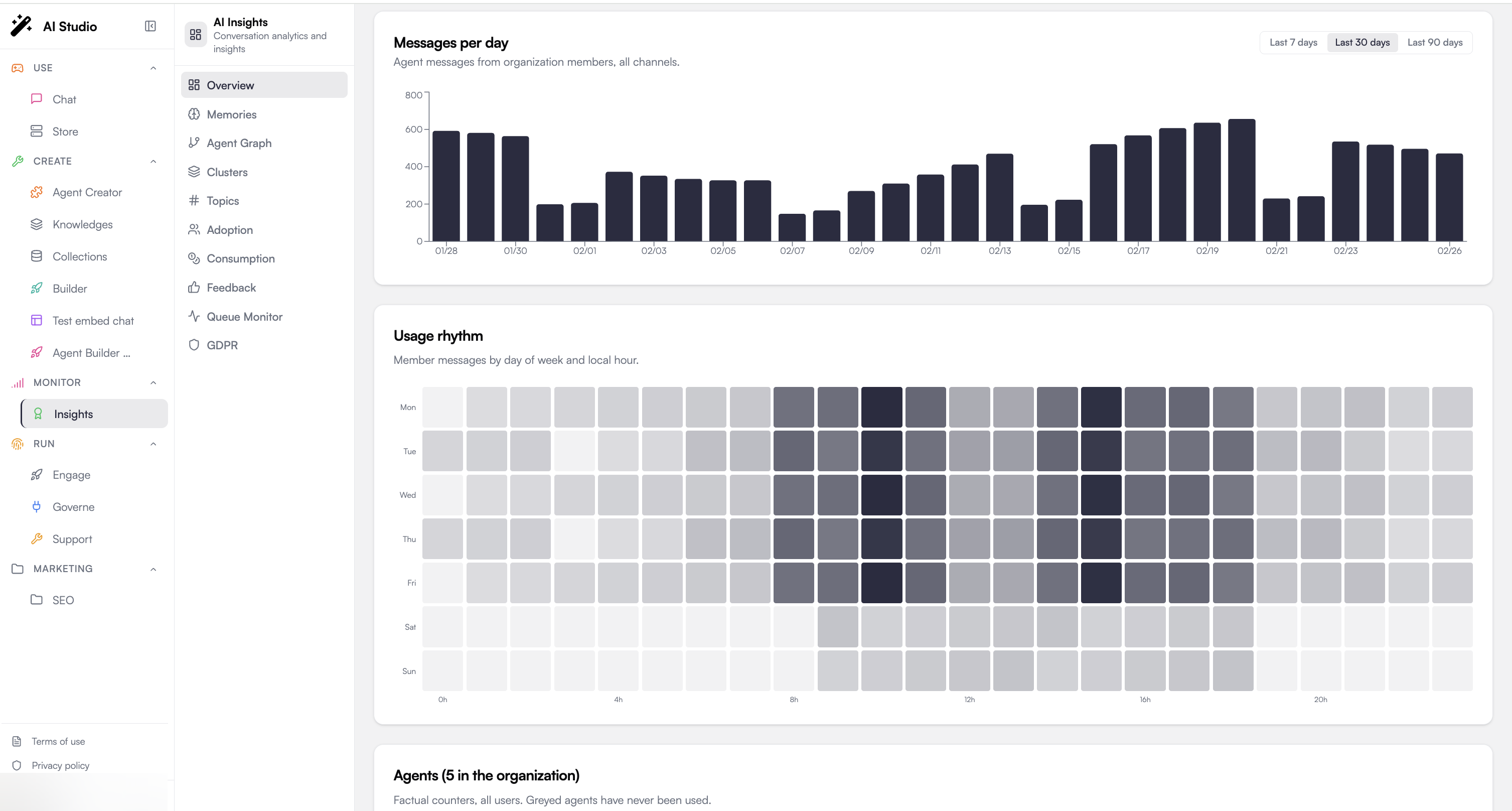
Watch the whole organization
KPIs for users, interactions, ratings, cost, tokens and carbon, plus a ranked list of your top agents.
Drill into one agent
Per-agent score, resolution rate, sentiment mix, and the most recent insights.
Define what 'good' means
Author Yes/No, score, or category criteria with weights, applied automatically to every analyzed conversation.
Read the LLM-as-judge results
Per-conversation summary, sentiment progression, key moments, and your custom evaluations.
See user feedback
Likes, dislikes, dislike categories, and recent comments, globally or per agent.
Track adoption
Power / Regular / Basic user segments, personalization depth, and AI-generated recommendations.
Mine memories and topics
What your agents are learning about users, what topics are trending, and where memory gaps exist.
Map your agent fleet
Interactive network of agents, tools, and categories, with similarity-based clusters.
Honor GDPR requests
Export or permanently delete a user’s conversations, insights, and memories (Article 15 and 17).
Two views: organization and agent
Insights has two navigation contexts. The sidebar swaps depending on whether you’re looking at the whole org or a single agent.- Organization view (default)
- Agent view
Open Insights and you land here. The sidebar shows cross-agent analytics: Overview, Memories, Agent Graph, Clusters, Topics, Adoption, Feedback, Queue Monitor, GDPR.Use it to compare agents, watch fleet-wide trends, and run platform operations.
Core concepts
Conversation analysis
Conversation analysis
A conversation is the unit of analysis. Insights asks an LLM to read each conversation, then produces an insight: a numeric evaluation score (0-100), a resolution flag, an overall sentiment with progression, the topics discussed, key moments, and your custom criterion answers.Analysis can run automatically (batch on inactivity, real-time where enabled) or on demand from the Conversations page.
Evaluation criteria
Evaluation criteria
Criteria are the questions the LLM answers about each conversation. You define them per agent. Three types are supported: Yes/No, Score (numeric range), Category (multiple choice). Each carries a weight that contributes to the agent’s evaluation score.If you don’t define any, four defaults apply:
resolution (Yes/No), clarity (1-5), accuracy (1-5), sentiment (positive / neutral / negative).Memories and topics
Memories and topics
When an agent has memory enabled, Insights aggregates what it stores: facts, preferences, relationships, instructions. The Memories page shows volume, type breakdown, and the gaps where users are asking about topics the agent doesn’t know yet. Topics groups memories by subject and shows trending up/down.
Adoption signals
Adoption signals
Users are bucketed into Power, Regular, Basic based on usage. Adoption combines that segmentation with personalization depth (memories per user), quality scores, sentiment, and the patterns users converge on, plus AI-generated recommendations to grow each segment.
Agent network and clusters
Agent network and clusters
The Graph visualizes how agents relate to one another via shared tools, shared categories, similarity, and delegation edges. The Clusters page formalizes that into similarity-based groupings, plus a list of isolated agents that don’t fit anywhere, usually a hint that they should be merged or reframed.
Queue, retention, and GDPR
Queue, retention, and GDPR
Analysis runs through a managed queue with rate limits and a daily budget. Operators can watch the queue depth and throughput on the Queue Monitor page. Retention windows and anonymization horizons are configured at the workspace level. The GDPR page lets data controllers export or hard-delete a single user’s footprint across conversations, insights, agents, shares, and ratings.
What gets analyzed automatically
By default, Insights runs a batch analysis pass that evaluates conversations once they go inactive, typically after a couple of hours of silence and a minimum number of messages. Conversations that grow significantly after analysis are re-evaluated. You can also analyze on demand: open a conversation, click Analyze, or batch-select rows from the Conversations list and click Analyze Selected.Where to go next
Getting started
First-time access and a five-minute walkthrough.
Define evaluation criteria
Tell the LLM exactly how to score your agent’s conversations.