


What You Can Do
Discover Agents
Browse available agents, find ones shared with you, and start conversations
Create Agents
Build new agents from scratch or import existing configurations
Add Capabilities
Connect tools, knowledge bases, and integrations to extend what your agent can do
Test & Evaluate
Chat with your agent in the playground and run evaluations to measure quality
The Agent Workspace
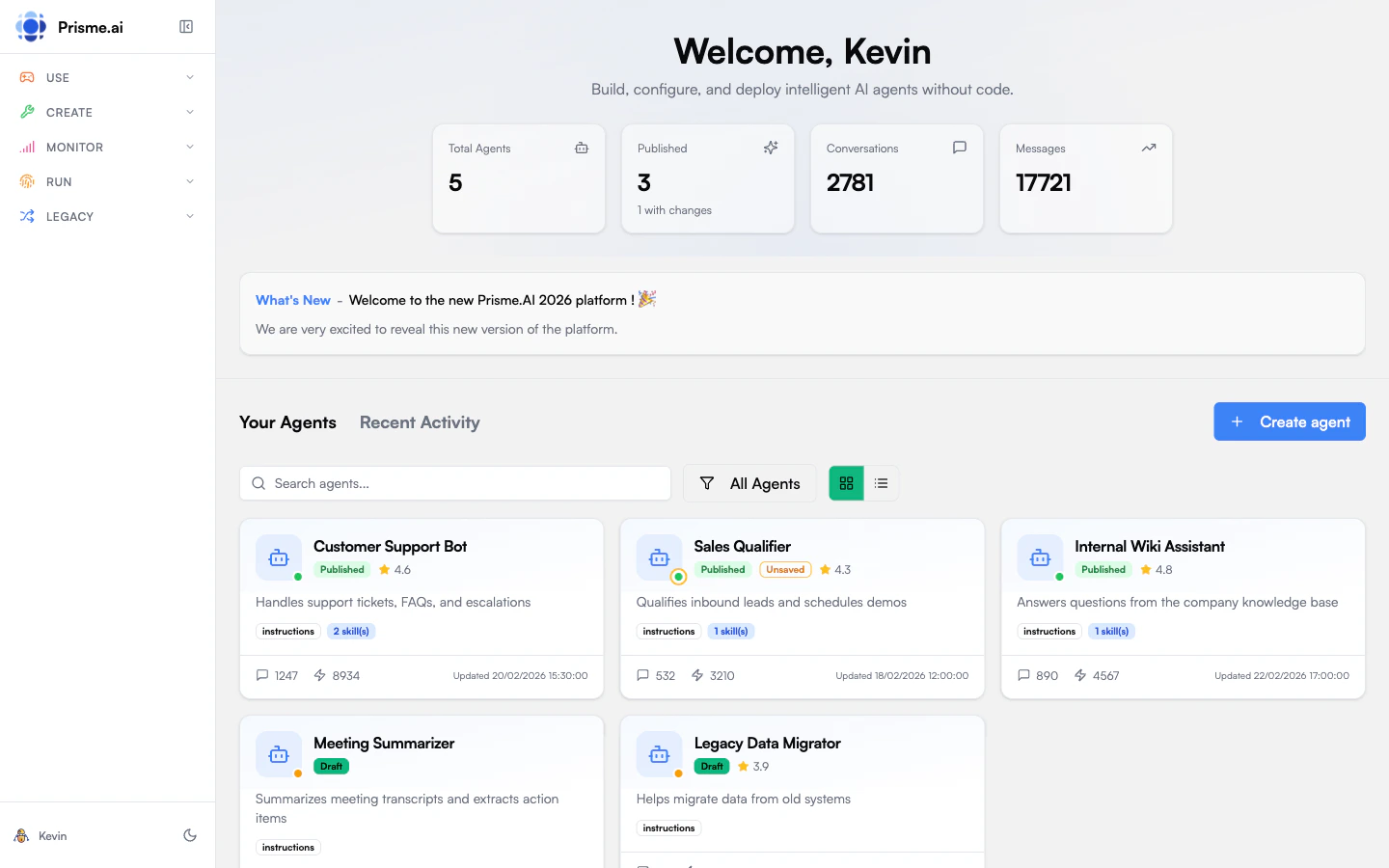
When you open Agent Creator, you’ll see:- Agent Gallery - All agents you have access to, with filters for “My Agents”, “Shared with Me”, and “All”
- Quick Stats - Total agents, published count, conversations, and messages
- Recent Activity - Track what’s happening across your agents
- Overview - See agent status, profile, and key metrics at a glance
- Instructions - Define how your agent behaves through system prompts
- Capabilities - Add tools (APIs, integrations) and knowledge (document stores)
- Playground - Test conversations with your agent in real-time
- Evaluate - Create test cases and run quality evaluations
- Analytics - View usage metrics, performance, and user feedback
- Settings - Configure retention, sharing, and safety guardrails (memory is set in the Memory capability, see Agent Memory)
Agent Profiles
Agents are created with a profile that determines their capabilities. Profiles are graduated levels of complexity:Token Budget is a profile default. It bounds the work done on one message, not on the whole conversation, and any agent can override it under Settings → Budget Limits. Max Turns is not a profile setting — it is a single workspace-wide safety ceiling (default 50, matching the agentic loop’s built-in hard cap) that only guards against a runaway loop; real per-message consumption is bounded by the token and tool-call budgets, not the turn count. An agent can still lower that ceiling for itself. The tool call and cost budgets that come with each profile are listed in Defaults per profile.
- Simple
- Workflow
- Agent Light
- Agent Full
- Orchestrator
Direct LLM call with optional RAG. No tool use, no multi-turn reasoning. Best for FAQ bots, document summarization, simple Q&A with a knowledge base.
Video Tour: Orchestrate Agents
This video is currently available in French.
Publishing & Sharing
Agents have two states:- Draft - Work in progress, only visible to you
- Published - Live version that others can use
- Public: The agent appears in the agent store and is accessible to all users in the organization. Anyone can start a conversation.
- Restricted: The agent description appears in the agent store but is only accessible to users or groups that have been explicitly granted access.
Access Control
An agent owner can share their agent with specific users or groups. Each share creates a binding that grants access. Bindings can target:- A single user: by user ID
- A group: by group ID, granting access to all members
Access Requests
Users who discover a restricted agent can request access:- The user submits an access request on the agent
- The agent owner sees the pending request
- The admin approves or rejects the request
- On approval, a binding is created and the user gains access immediately
Embedding for Anonymous Visitors
You can expose a public agent on any website with theembed.js script so visitors can chat without signing in. The embed mints a short-lived anonymous session scoped to your organization and applies the role configured for anonymous access.You can preview and retrieve the full embed.js script at
$PLATFORM_URL/test-embed-chat.html, e.g. https://studio.prisme.ai/test-embed-chat.html for Prismeai SaaS.
Three prerequisites:
- Enable anonymous access on the organization in AI Governance → Authentication → Anonymous access. Owners/Admins toggle it on and pick the role to apply (default:
org:anonymous, read-only on agents). Optionally restrict allowed source domains so only your own sites can mint tokens; leave empty to accept any Origin. - Publish the agent as Public. Restricted agents reject anonymous sessions even with the right org scope. Set visibility to Public in the publish dialog so the agent is reachable to anyone in the org, including anonymous visitors.
- Your source domain must be CORS whitelisted with prismeai-api-gateway
CORS_ADDITIONAL_ALLOWED_ORIGINSenvironment variable :
Theming the embed
The widget ships a complete design-token palette (light and dark) scoped to its own root. Two options brand it, and they behave differently:cssVariables mount option when you boot the widget from JavaScript.
Next Steps
1
Discover existing agents
Browse what’s already available in your organization.Explore agents →
2
Create your first agent
Build a simple assistant to learn the basics.Create an agent →
3
Add capabilities
Connect knowledge bases and tools to make it useful.Add capabilities →