

Sharing Benefits
Knowledge Amplification
Multiply the impact of expertise by making specialized agents widely available
Collaboration
Enable teams to benefit from and build upon each other’s work
Standardization
Ensure consistent AI usage and responses across your organization
Efficiency
Reduce duplicate work by sharing solutions widely
Innovation
Inspire others to adapt and enhance your agents
Recognition
Showcase your expertise and contributions
Sharing Options Overview
- User Sharing
- Group Sharing
- Link Sharing
- Public Listing
- Embedding
Share directly with specific individuals in your organization:
- Target precise recipients
- Control access levels for each person
Restrict sharing
The instance can be configured to allow or prevent agents to be shared. In the AI Knowledge configuration, the keylimits.share can be set to false to prevent anyone from sharing an agent.If this is setup this way, each agent can individually be set to “can be shared” from its
administration view, by an AI Knowledge Admin.
Sharing with Specific Users
Select individual users
Enter the email addresses of colleagues (if they have a valid account on your Prisme.ai instance).
Set permission levels
Choose what level of access each recipient should have:
- User: Can use the agent
- Editor: Can use and customize
- Owner: Full control
Sharing with Groups
Configure notification options
Choose whether group members should receive notifications (based on admin settings).
Creating and Sharing Links
Making Agents Public in Your Organization
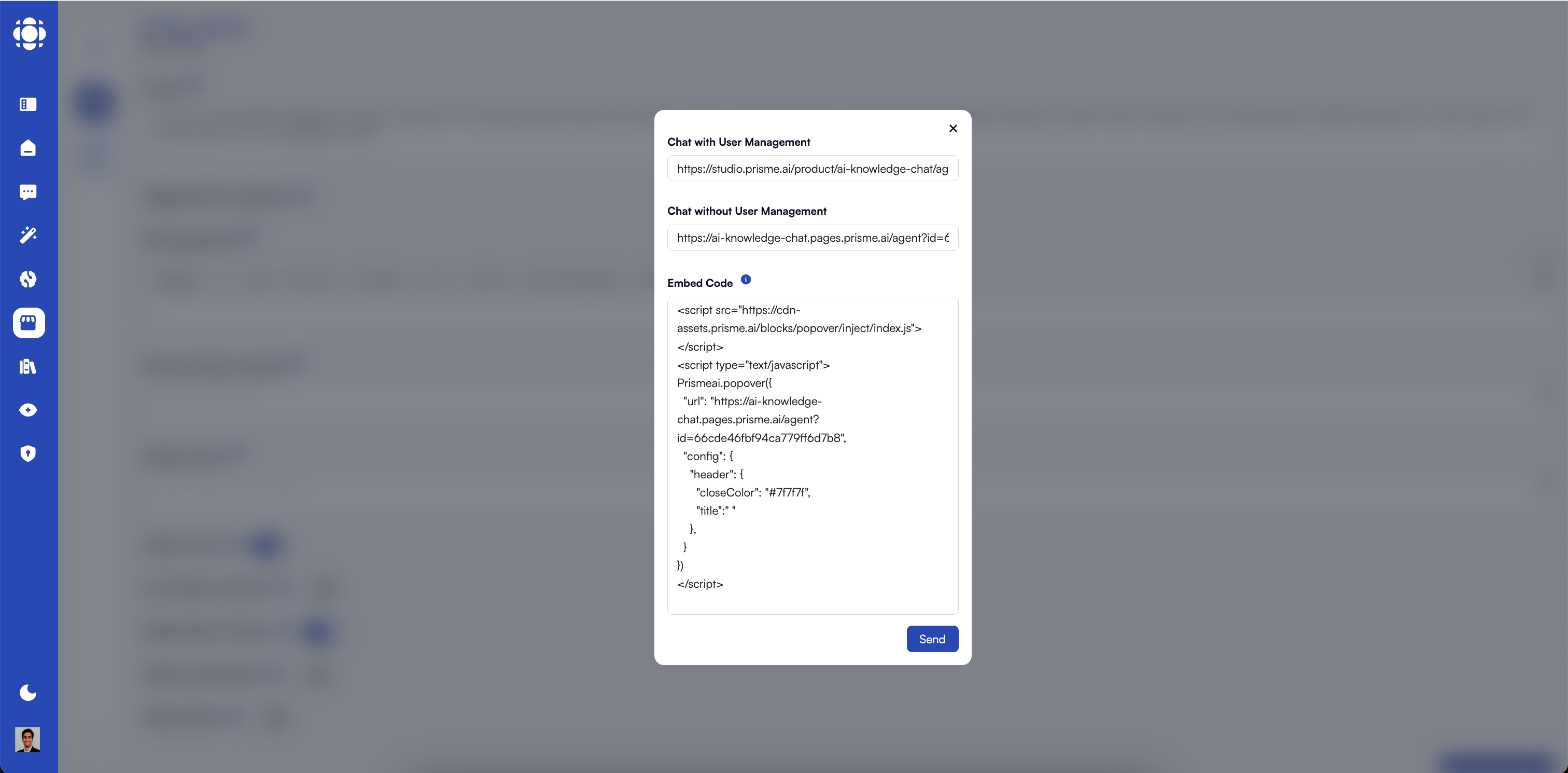
Embedding Agents in Other Applications
Embed Code Example
Embed Code Example
Embedding Display Modes
Chat Window
Full-featured chat interface in a container
Chat Button
Floating button that expands on click
Inline Assistant
Embed responses directly in content
Popup Dialog
Agent appears in a modal
Sidebar
Persistent panel alongside content
Full Page
Full-page assistant experience
Managing Shared Agents
Visibility and Access Control
| Sharing Method | Store Visibility | Who Can Access | Discovery Method |
|---|---|---|---|
| Private (no sharing) | Not listed | Creator only | ”My Agents” |
| Direct user sharing | Not listed | Specific users | ”Shared with Me” |
| Group sharing | Not listed | Members of groups | ”Shared with Me” |
| Link sharing | Not listed | Anyone with the link | Direct link |
| Public (listed) | Listed | All organization users | Store browsing & search |
| Embedded | Varies | Host application users | Within the host interface |
Collaboration Features
Feedback Collection
Feedback Collection
Collect structured feedback:
- Enable ratings
- Capture improvement ideas
- Identify knowledge gaps
Collaborative Editing
Collaborative Editing
Allow trusted colleagues to edit agents:
- Grant edit permissions
- Owners can also delete the agent
Best Practices for Sharing
Clear Documentation
Explain agent purpose and how to use it
Selective Sharing
Focus sharing on relevant audiences
Permission Management
Set access levels appropriately
Regular Updates
Improve agents based on usage
Usage Monitoring
Track usage to identify opportunities
Feedback Loops
Collect and apply user suggestions
Troubleshooting Sharing Issues
Users can't access a shared agent
Users can't access a shared agent
Embedded agent not working
Embedded agent not working
- Confirm embed code is implemented correctly
- Check browser console for errors
- Validate authentication and CORS settings
Sharing permissions issues
Sharing permissions issues
Next Steps
Managing Agents
Learn how to maintain and update your agents
Customizing Agents
Tailor existing agents to your needs
Creating Agents
Build new agents from scratch