> ## Documentation Index
> Fetch the complete documentation index at: https://docs.prisme.ai/llms.txt
> Use this file to discover all available pages before exploring further.
# First Steps Guide
> Begin your journey with Prisme.ai and take your first steps with the platform
Welcome to Prisme.ai! This guide will help you navigate your initial experience with the platform and set you on the path to success. We've tailored these steps to ensure you can quickly start leveraging the power of generative AI for your organization.
## Before You Begin
Before diving in, make sure you have:
* A Prisme.ai account with appropriate access permissions
* A basic understanding of your organization's AI goals and use cases
* Familiarity with the data sources you might want to connect to your AI agents
## Starting Your Journey
Access your Prisme.ai instance using the credentials provided by your administrator. If you're using a self-hosted version, you'll need the specific URL for your deployment.
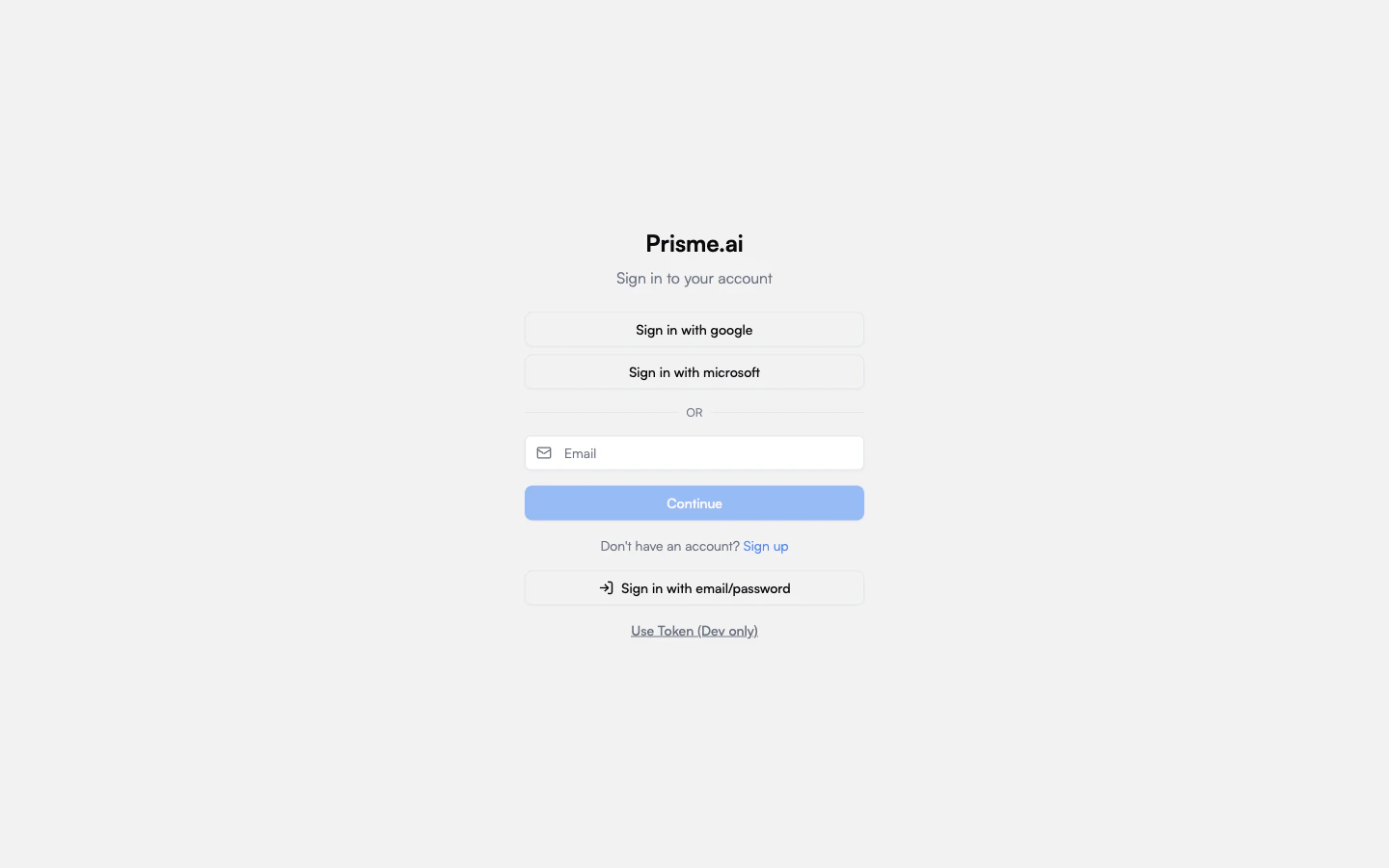 Upon logging in, you'll land on the Prisme.ai home screen. It gives you quick access to Chat, available agents, recent canvas, and the product navigation in the sidebar.
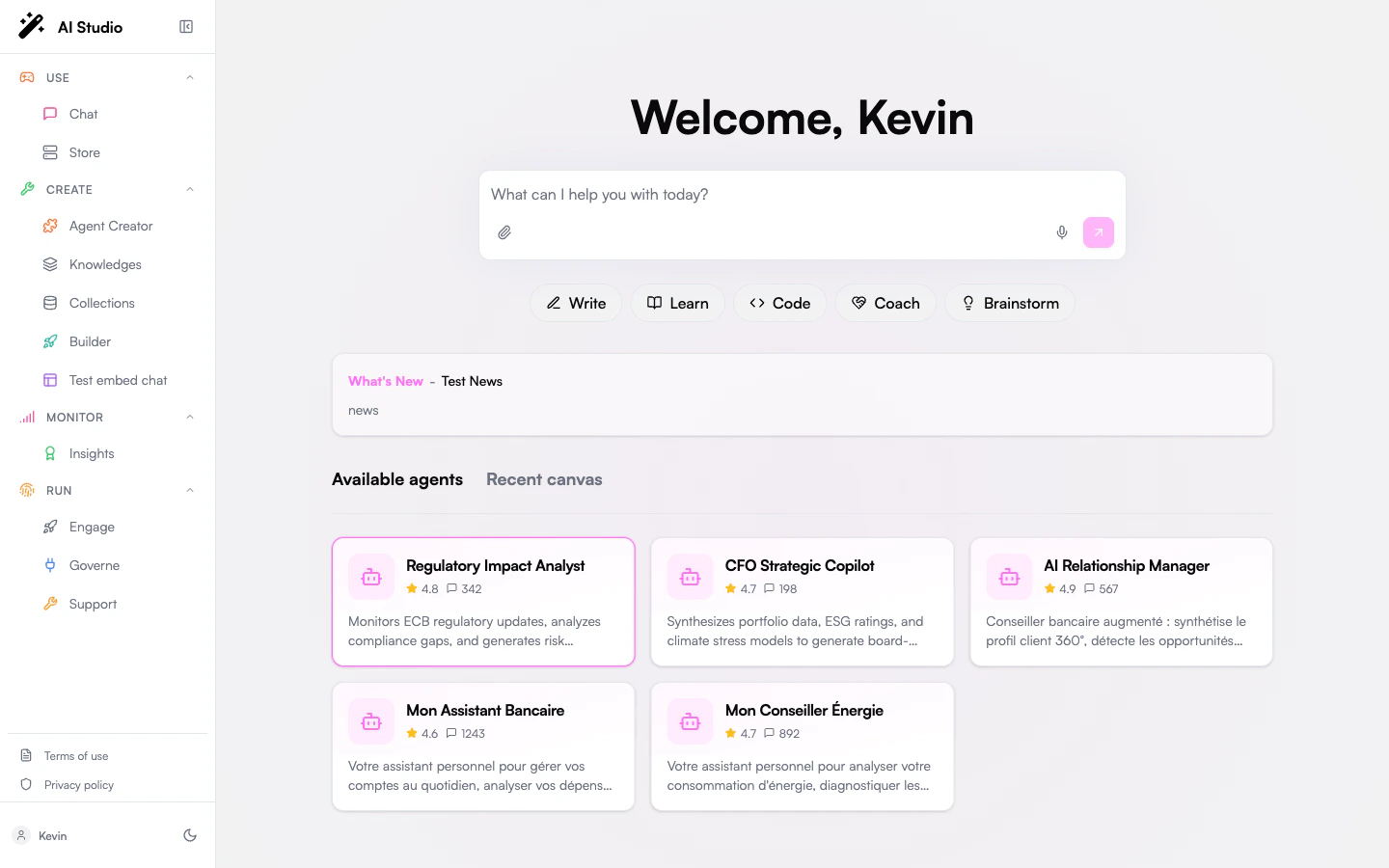 The home screen gives you an overview of:
* Available agents
* Recent canvas
* Quick actions for common prompts
* Product access grouped by Use, Create, Monitor, and Run
Start with Chat to experience conversational AI in a secure environment. This is the simplest way to begin interacting with Prisme.ai.
The home screen gives you an overview of:
* Available agents
* Recent canvas
* Quick actions for common prompts
* Product access grouped by Use, Create, Monitor, and Run
Start with Chat to experience conversational AI in a secure environment. This is the simplest way to begin interacting with Prisme.ai.
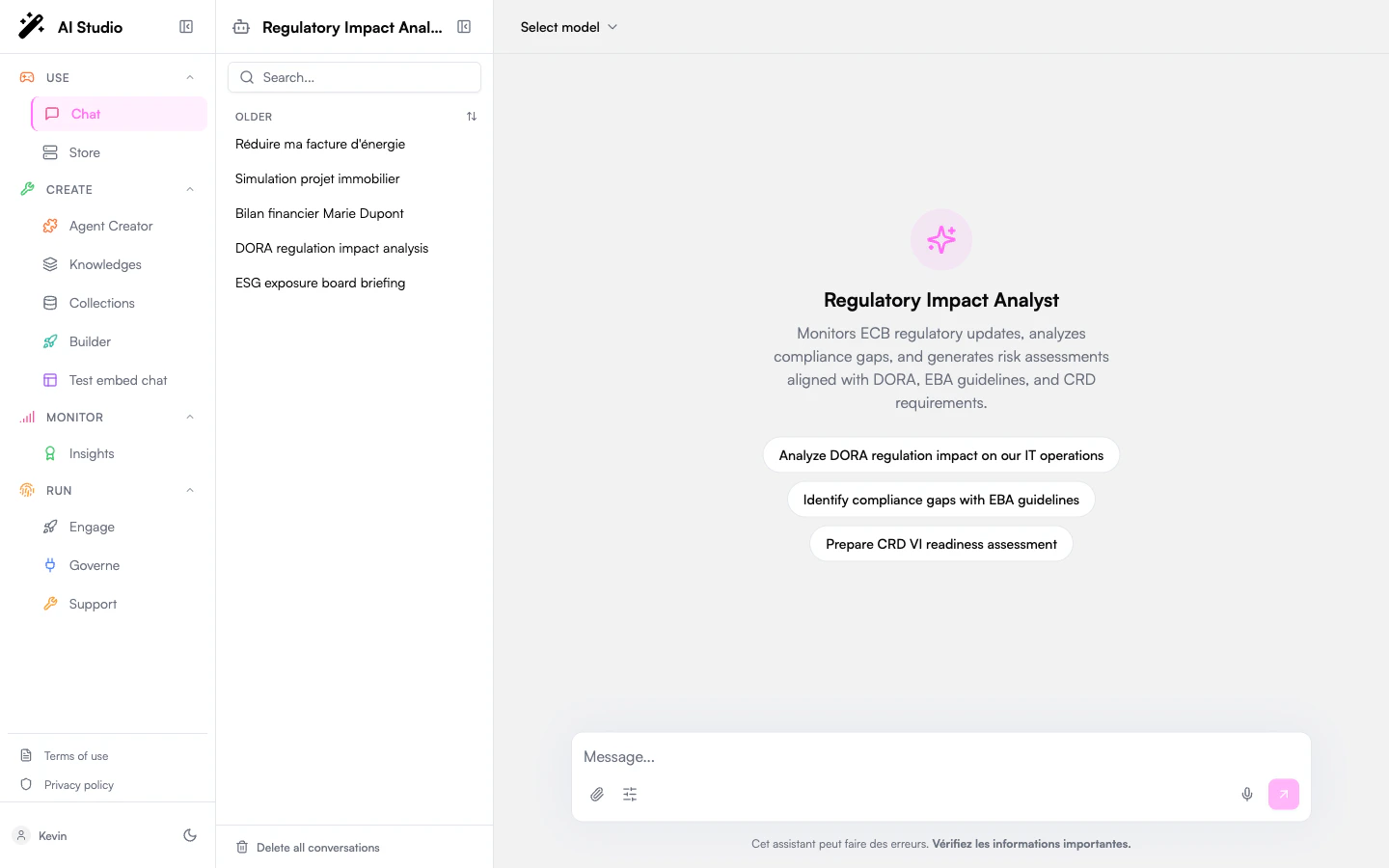 Try asking some questions to understand the capabilities of the underlying language models.
Visit Agent Creator to discover pre-built agents that might address your needs. You can use these as-is or as starting points for your own custom agents.
Try asking some questions to understand the capabilities of the underlying language models.
Visit Agent Creator to discover pre-built agents that might address your needs. You can use these as-is or as starting points for your own custom agents.
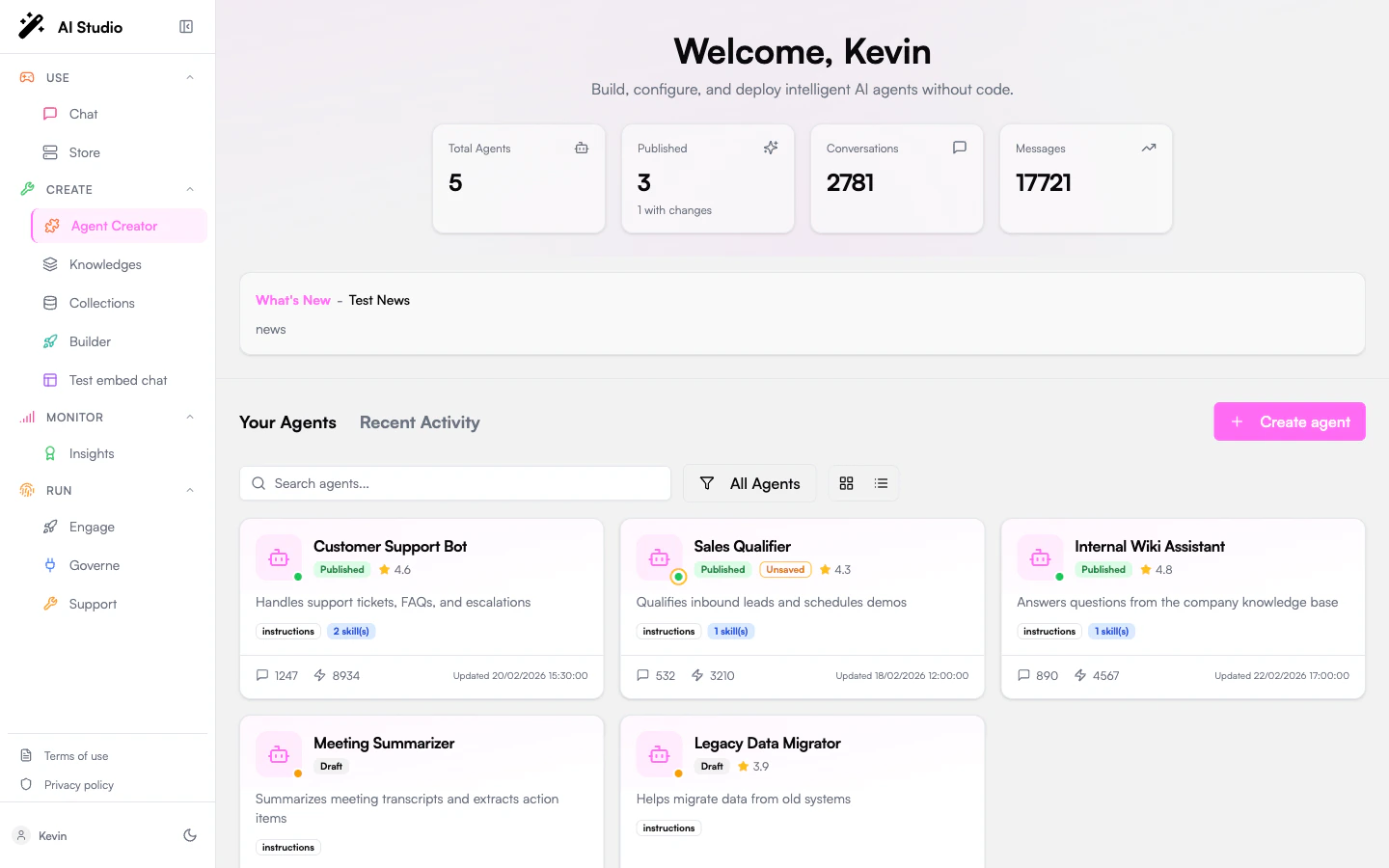 Follow our [Creating Your First Agent tutorial](/create-agents/no-code/simple-prompting-agent) to build a basic agent. This hands-on experience will help you understand the core concepts of agent creation.
## Next Steps Based on Your Role
Choose your path based on your role in the organization:
As an end user, focus on:
* Mastering Chat for daily tasks
* Discovering useful agents in Agent Creator
* Learning how to effectively prompt AI for best results
Recommended next page: [Chat Guide](../products/ai-securechat/overview)
As a business user, focus on:
* Creating agents with Knowledges
* Connecting knowledge bases to agents
* Setting up workflows for your team
Recommended next page: [Knowledges Guide](../products/ai-knowledge/overview)
As a developer, focus on:
* Exploring Builder capabilities
* Understanding DSUL for advanced configurations
* Integrating Prisme.ai with your existing tools
Recommended next page: [Builder Guide](../products/ai-builder/overview)
As an administrator, focus on:
* Setting up user access and permissions
* Configuring deployment options
* Implementing governance policies
Recommended next page: [Governe Guide](../products/ai-governance/overview)
## Common First Tasks
Here are some common tasks that users typically want to accomplish when starting with Prisme.ai:
1. Navigate to Knowledges
2. Create a new knowledge base
3. Upload your documents (PDF, Word, Excel, PowerPoint, etc.)
4. Configure chunking and embedding settings
5. Deploy your knowledge base to an agent
[Detailed Guide →](../products/ai-knowledge/knowledge-bases)
1. Browse Agent Creator for an agent that matches your needs
2. Clone the agent to create your own version
3. Modify the prompts and settings
4. Connect to your knowledge base if needed
5. Test and deploy your customized agent
[Detailed Guide →](../products/agent-factory/instructions)
1. Navigate to Builder
2. Set up connection to your data source (database, API, etc.)
3. Configure authentication
4. Create queries or data retrieval workflows
5. Test the connection with simple prompts
[Detailed Guide →](../apps-store/overview)
## Getting Help
If you need assistance at any point:
* Use the in-app help features (look for the "?" icon in most screens)
* Check our [documentation](/) for detailed guides
* Contact your organization's Prisme.ai administrator
* For enterprise customers, reach out to your dedicated support contact
We're committed to helping you succeed with Prisme.ai and harness the power of generative AI for your organization.
Follow our [Creating Your First Agent tutorial](/create-agents/no-code/simple-prompting-agent) to build a basic agent. This hands-on experience will help you understand the core concepts of agent creation.
## Next Steps Based on Your Role
Choose your path based on your role in the organization:
As an end user, focus on:
* Mastering Chat for daily tasks
* Discovering useful agents in Agent Creator
* Learning how to effectively prompt AI for best results
Recommended next page: [Chat Guide](../products/ai-securechat/overview)
As a business user, focus on:
* Creating agents with Knowledges
* Connecting knowledge bases to agents
* Setting up workflows for your team
Recommended next page: [Knowledges Guide](../products/ai-knowledge/overview)
As a developer, focus on:
* Exploring Builder capabilities
* Understanding DSUL for advanced configurations
* Integrating Prisme.ai with your existing tools
Recommended next page: [Builder Guide](../products/ai-builder/overview)
As an administrator, focus on:
* Setting up user access and permissions
* Configuring deployment options
* Implementing governance policies
Recommended next page: [Governe Guide](../products/ai-governance/overview)
## Common First Tasks
Here are some common tasks that users typically want to accomplish when starting with Prisme.ai:
1. Navigate to Knowledges
2. Create a new knowledge base
3. Upload your documents (PDF, Word, Excel, PowerPoint, etc.)
4. Configure chunking and embedding settings
5. Deploy your knowledge base to an agent
[Detailed Guide →](../products/ai-knowledge/knowledge-bases)
1. Browse Agent Creator for an agent that matches your needs
2. Clone the agent to create your own version
3. Modify the prompts and settings
4. Connect to your knowledge base if needed
5. Test and deploy your customized agent
[Detailed Guide →](../products/agent-factory/instructions)
1. Navigate to Builder
2. Set up connection to your data source (database, API, etc.)
3. Configure authentication
4. Create queries or data retrieval workflows
5. Test the connection with simple prompts
[Detailed Guide →](../apps-store/overview)
## Getting Help
If you need assistance at any point:
* Use the in-app help features (look for the "?" icon in most screens)
* Check our [documentation](/) for detailed guides
* Contact your organization's Prisme.ai administrator
* For enterprise customers, reach out to your dedicated support contact
We're committed to helping you succeed with Prisme.ai and harness the power of generative AI for your organization.